iT Factor logo iT Factor Self Tape Studio

Search The Help Center

Need another walkthrough?

Search the guide hub or jump into the setup topics that feed directly into ActorKit.

ActorKit · Getting Started

Keep your acting materials in one calm, ready-to-use place.

ActorKit is your mobile office inside iT Factor. It keeps your headshot, resume, representation, talent details, prep tools, and quick references together so you can move faster without hunting through five different places.

If you need to add or update your details, use Edit Profile in ActorKit. That opens the Actor Profile Wizard, which is still the main place to manage your profile information.

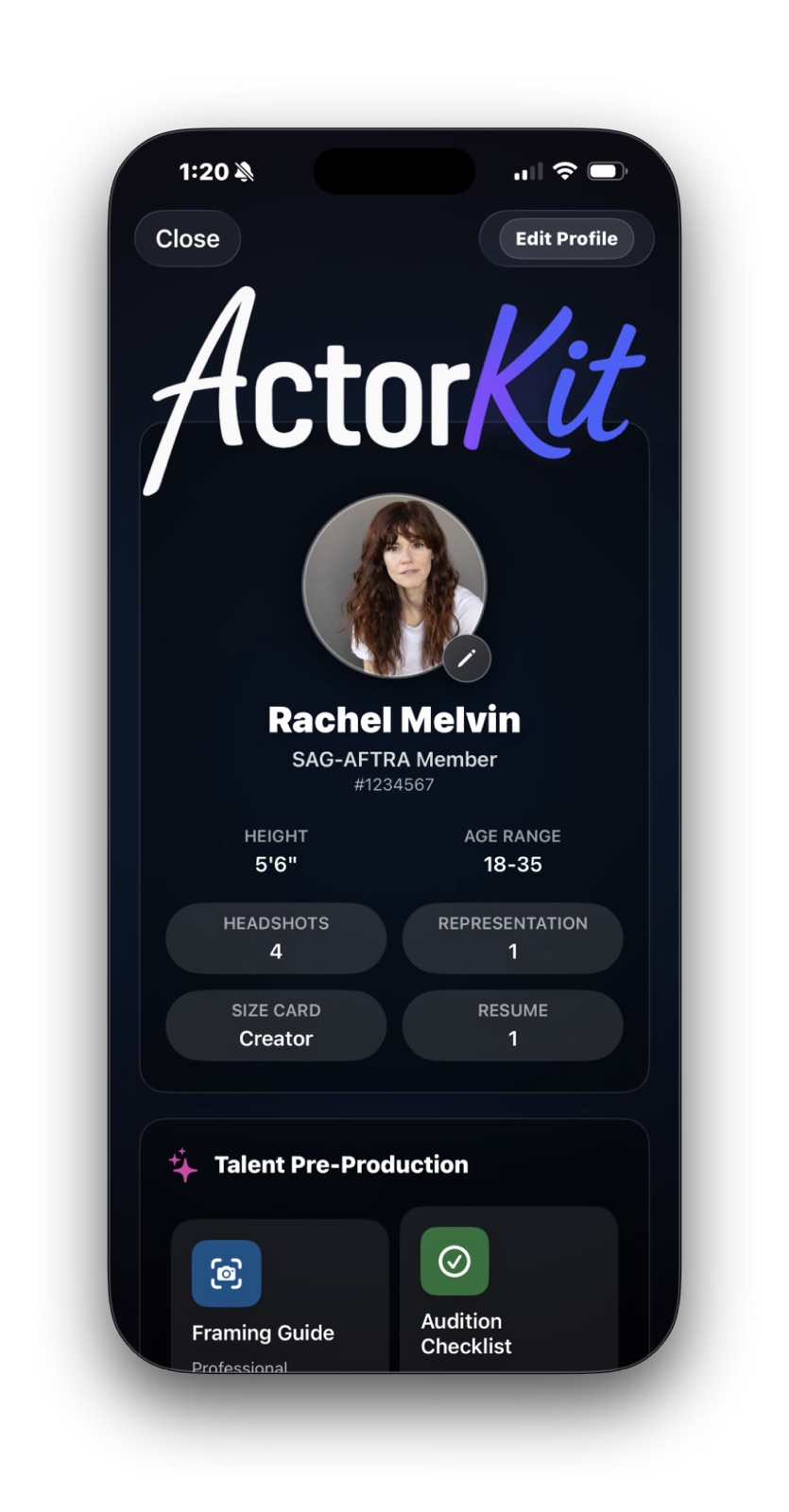
ActorKit overview screen showing a headshot, union status, quick profile stats, and shortcut buttons

Quick Start

What matters first, and what can wait.

You do not need a fully finished profile to get value from ActorKit. Start with the essentials, then add more only when it helps.

Strongly recommended

  • Your name
  • One preferred headshot
  • Your resume PDF
  • Your union status, if applicable
  • At least one rep, if you have representation

Helpful, but optional

  • Height and age range
  • Email and phone
  • Hair, eyes, and weight
  • Wardrobe sizes and detailed measurements
  • Social links and local hire market
Area 1

Profile Header and Headshots

This top section is your professional snapshot. It is where ActorKit shows who you are at a glance.

Best to have now
  • Your display name
  • One preferred headshot
  • Union status, if you know it
Optional for now
  • Height and age range
  • Extra headshots in the library
  • Anything you still need to confirm
Used later in
  • Your ActorKit header
  • Size Card photo and quick details
  • The spinner resting face, if selected

What to focus on here

One clear preferred headshot and the name you want shown professionally are enough to make this area feel useful. If you have more headshots, you can build the library over time.

The buttons in this section are the fast way into Headshots, Representation, Talent Details, and Resume. If something needs to be added or corrected, Edit Profile is still the place to start.
ActorKit overview screen showing a headshot, union status, quick profile stats, and shortcut buttons
This top card is your home base inside ActorKit. It gives you the quickest read on your profile and the main places you are likely to open next.
Area 2

Representation and Contact Actions

ActorKit keeps your reps in one place so you can reach them without copying details into another app.

Best to have now
  • At least one rep, if you have representation
  • Name plus the easiest contact method
Optional for now
  • Full address
  • Extra rep types
  • Anything you do not actually use
Used later in
  • Rep contact pop-ups
  • New Project setup
  • Size Card representation display

What to focus on here

If you have representation, keep the details practical. A name, company, and the contact method you are most likely to use are the biggest wins.

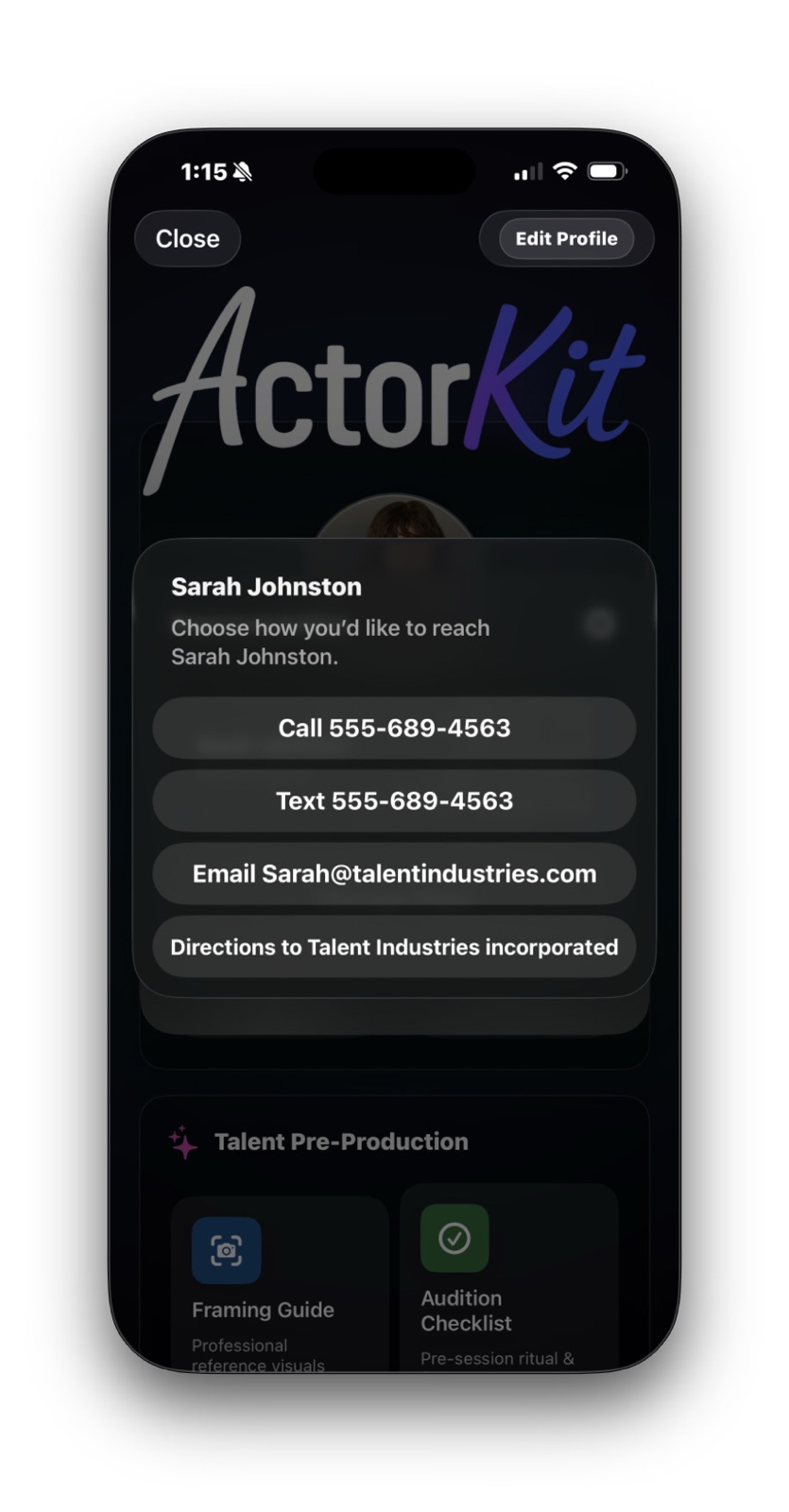
One of the best parts of this area is that the app can give you direct actions like call, text, email, or directions when those details are saved. That makes ActorKit feel like a working tool instead of a storage page.

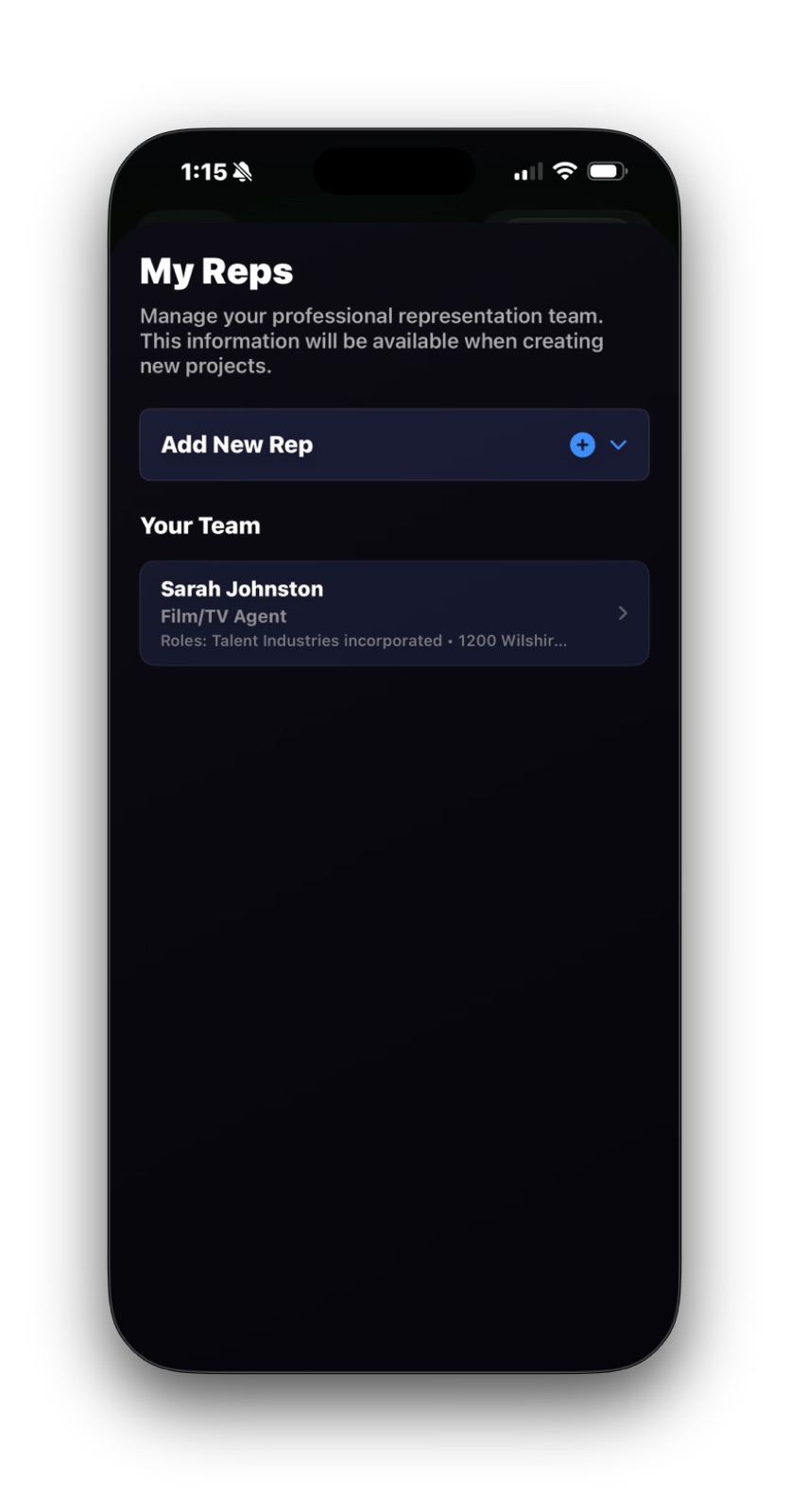
ActorKit My Reps screen showing a saved Film or TV agent and the Add New Rep control
The representation list is where you keep your current team organized and ready for project use.
ActorKit contact pop-up showing call, text, email, and directions actions for a rep
When the details are saved, ActorKit can turn them into action buttons so you can move directly into the next step.
Area 3

Resume and Readiness Details

This is where ActorKit starts becoming genuinely useful day to day, not just informative.

Best to have now
  • Your latest resume PDF
  • The basic profile details you know for sure
Optional for now
  • Every detailed measurement
  • Wardrobe specifics you still need to check
Used later in
  • In-app resume preview and sharing
  • Talent Details
  • Size Card readiness

What to focus on here

Resume upload is one of the easiest high-value wins in ActorKit. If your latest PDF is already there, you can preview or share it quickly when needed.

Talent details and sizes do not need to be perfect on day one. Start with the basics you know, then add the finer measurements later when they actually help.

If you notice missing profile details while you are here, use Edit Profile to jump back into the Actor Profile Wizard and keep building from there.

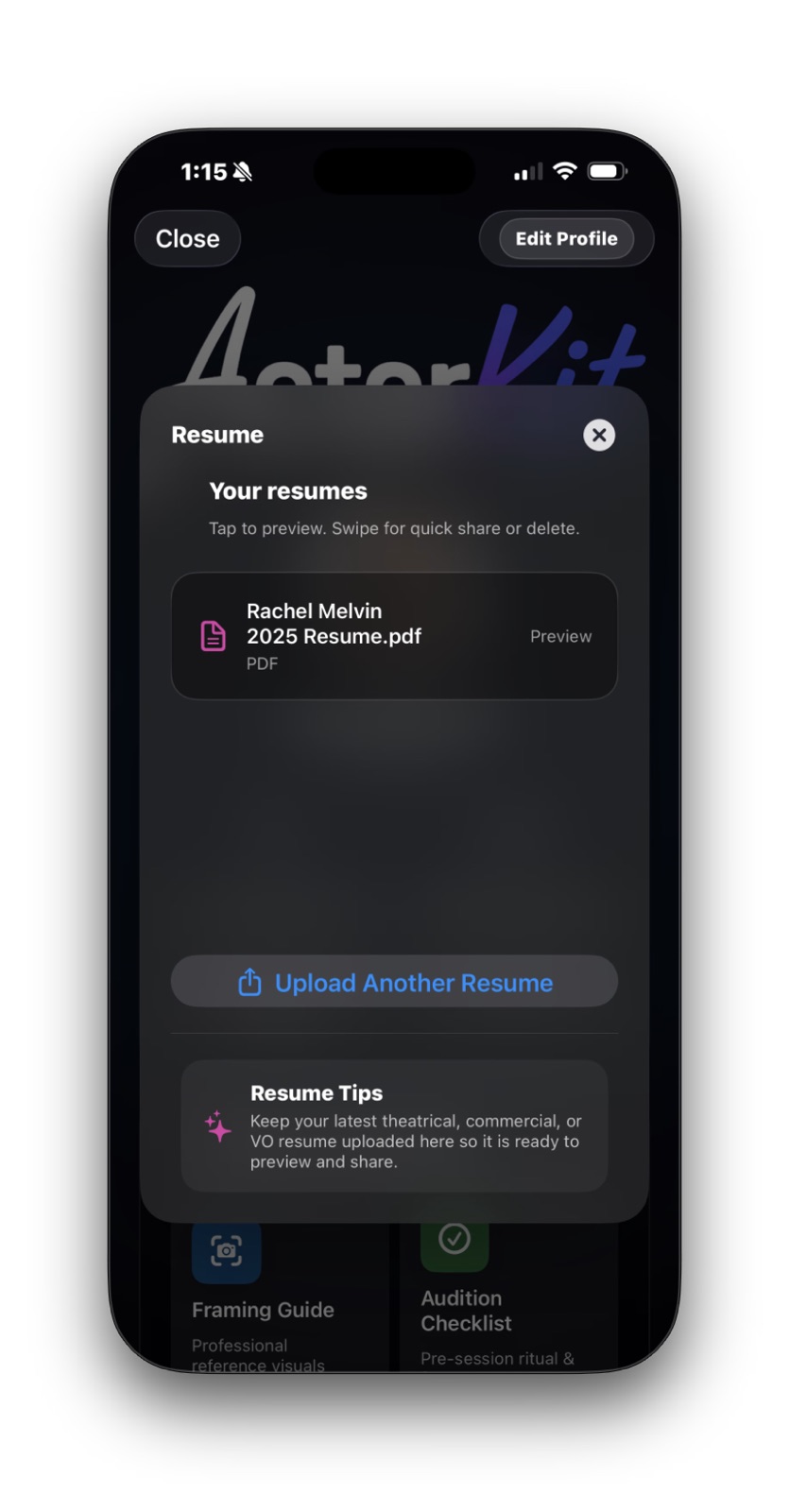
ActorKit resume sheet showing an uploaded PDF with preview and upload controls
Resume management stays simple here: keep the current PDF uploaded so it is ready to preview or share without a scramble.
Area 4

Talent Pre-Production Tools

ActorKit is not only for storage. It also gives you preparation tools you can use right before you tape or head out the door.

Open these when
  • You want a quick framing reset
  • You need an audition readiness check
  • You are preparing for an in-person audition
You will find
  • Framing Guide
  • Audition Checklist
  • In-Person Prep
  • Self Tape Gear references
Why it helps
  • Reduces preventable mistakes
  • Brings calm back before you record
  • Keeps reference tools close by

What to focus on here

These tools are for the moments when you want support, not more admin. Use them as quick resets before an audition or self-tape instead of trying to remember everything at once.

The Framing Guide is useful when you want a fast visual check. The checklist tools are good when stress makes it easy to miss simple things. Self Tape Gear is there more as a curated reference than something you need every day.

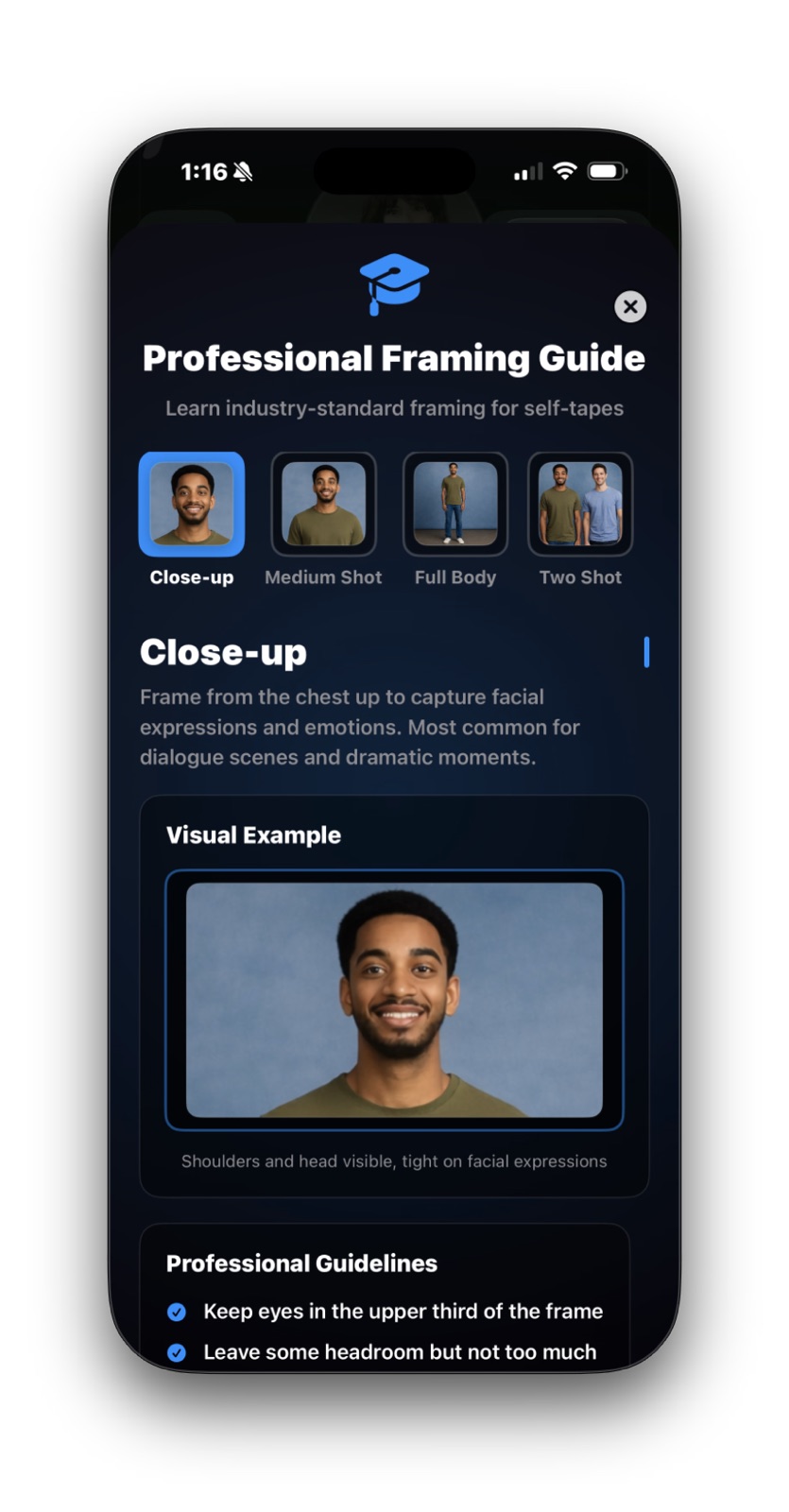
ActorKit Professional Framing Guide screen showing close-up framing examples and guidelines
The Framing Guide gives you fast visual reminders when you want a cleaner self-tape setup.
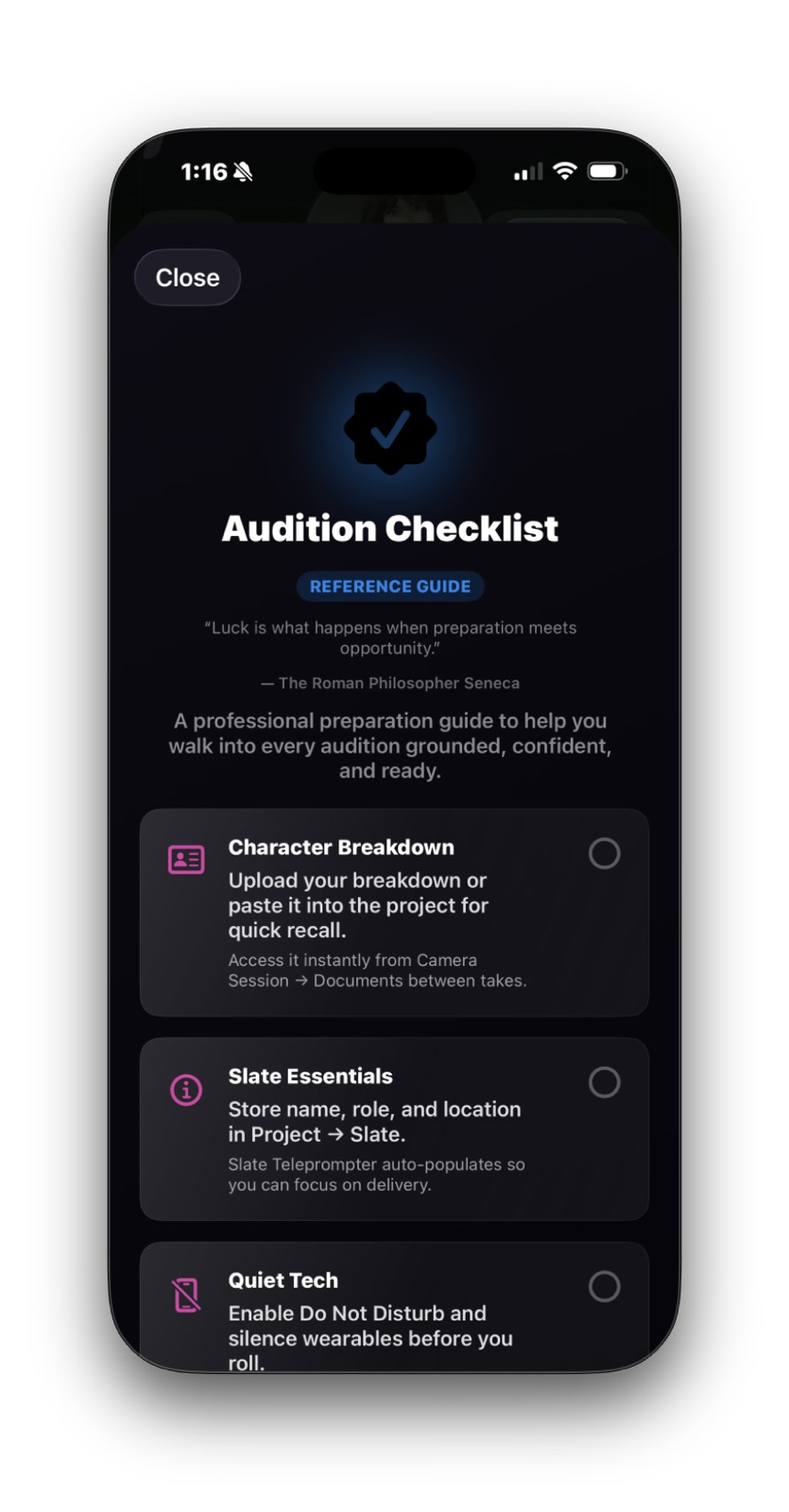
ActorKit Audition Checklist screen showing a calm preparation checklist for auditions
Checklist tools help you reset and move through the prep calmly instead of keeping everything in your head.
Area 5

Industry Resources and Globe Theatre

This is the side of ActorKit that feels both practical and personal: useful links plus the spinner controls that shape the look and motion of the space.

Useful for
  • Quick industry reference links
  • A calmer or more personalized screen feel
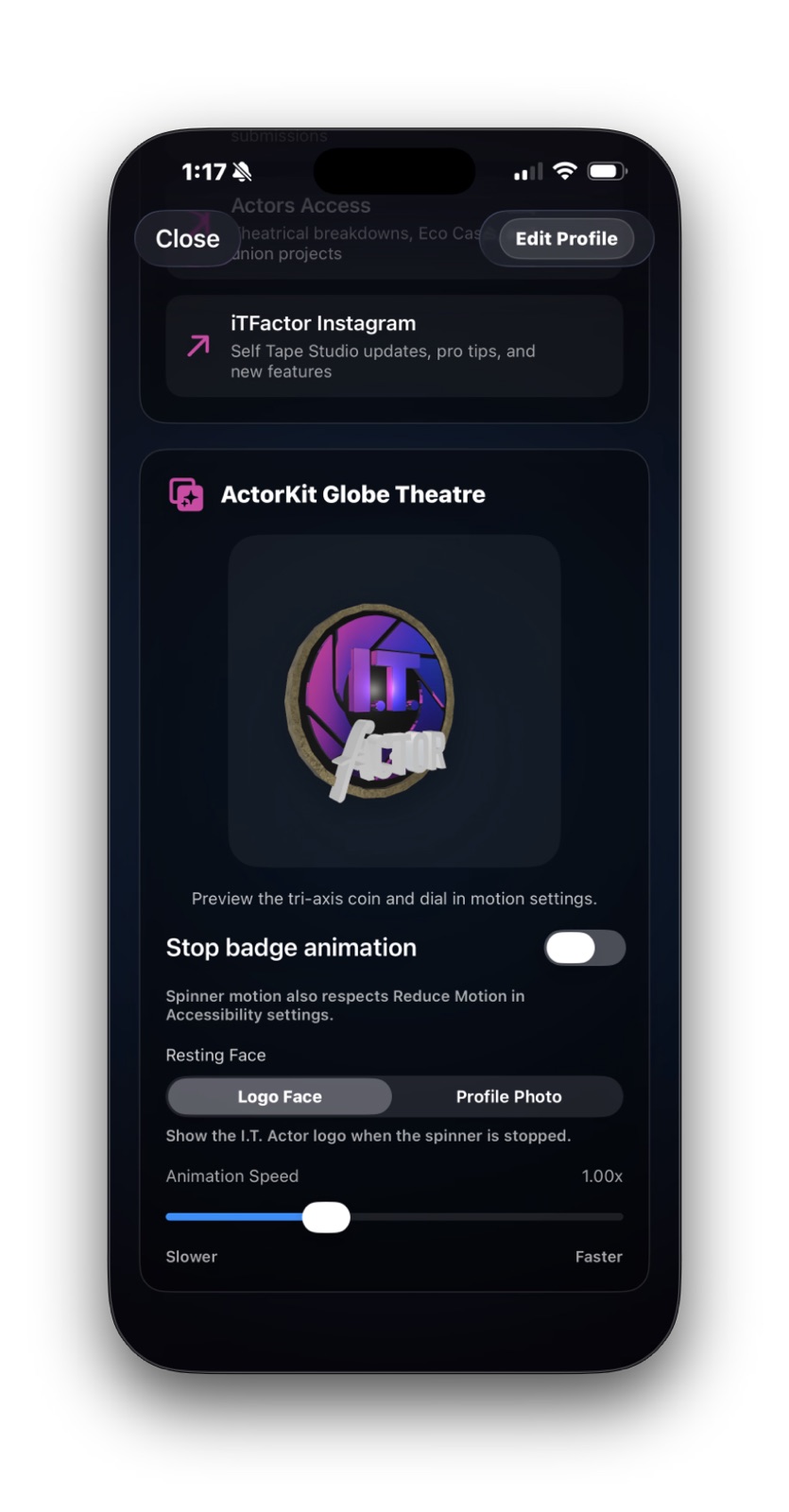
You can adjust
  • Stop badge animation
  • Resting face
  • Animation speed
Good to know
  • Reduce Motion is respected
  • Deeper tuning exists in the full-screen theatre view

What to focus on here

The resource links are there so ActorKit can be more than a storage screen. They keep key industry references close without asking you to switch mental gears.

The Globe Theatre controls are more personal. If you want less motion, freeze the badge animation or slow it down. If you want the space to feel more like yours, change the resting face and explore the deeper tuning later.

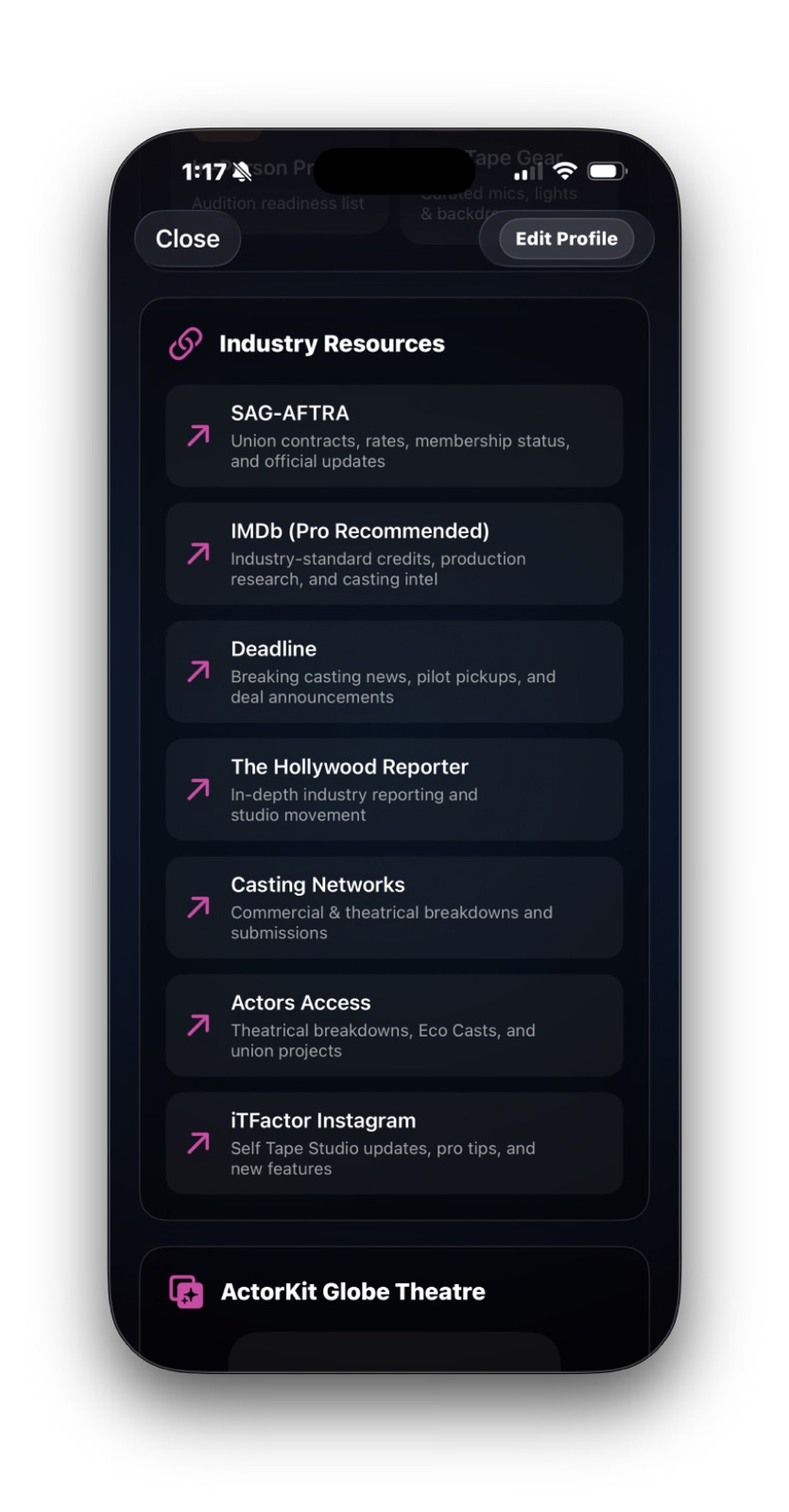
ActorKit Industry Resources section showing links such as SAG-AFTRA, IMDb, Deadline, and Actors Access
Industry Resources keeps useful reference links inside the same workspace instead of making you go searching.
ActorKit Globe Theatre section showing spinner controls for stop animation, resting face, and animation speed
The spinner controls let you make the space calmer or more personalized without affecting the rest of your profile data.

Quick Help

A few ActorKit details explained.

These are the parts of ActorKit that tend to raise questions the first time through. Here’s what they mean in plain language.

Edit Profile

If you need to add or correct profile details, this is the button to use. It opens the Actor Profile Wizard, which is still the main place to update your information.

Preferred headshot

Your preferred headshot becomes the main photo used across ActorKit and can feed into your Size Card too.

Rep contact actions

When a rep has enough saved information, ActorKit can turn it into action buttons like call, text, email, or directions.

Resume upload

ActorKit expects a PDF for resumes. Once it is there, the app can preview or share it quickly.

Talent details and sizes

These details are useful for reference and for the Size Card, but you do not need every measurement before ActorKit becomes useful.

Spinner controls

These only change the motion and look of the Globe Theatre area. They do not change your saved acting materials or profile information.

FAQ

Quick answers before you move on.

Do I need to fill in every measurement right away?
No. Start with the basics, then add more when you have them. ActorKit can still be useful before every detail is complete.
Can I still use ActorKit if I do not have representation yet?
Yes. Representation is optional. You can add it later and keep using the rest of ActorKit now.
Can I use ActorKit if I only have one headshot?
Yes. One strong preferred headshot is enough to get started.
Does ActorKit store my resume as a PDF?
Yes. ActorKit expects a PDF for resume upload, preview, sharing, and replacement.
What happens if I do not add email or phone?
Those lines simply stay unavailable for things like the Size Card until you add them to your profile.

Related Guides

Keep going when you are ready.

ActorKit connects best when the pieces around it are already familiar, especially your profile and Size Card.

Previous Actor Profile Wizard

Set up the profile details ActorKit pulls from most often.

Next Size Card Creator

Use the profile and ActorKit details you have saved to build a shareable size card.

Download iT Factor

Keep your materials ready without turning setup into a second job.

ActorKit is there to make your working materials easier to reach, easier to update, and easier to use when the moment comes.