iT Factor logo iT Factor Self Tape Studio

Search The Help Center

Need another walkthrough?

Search the guide hub or jump into the categories that sit closest to this setup flow.

Getting Started · Actor Profile

Set up your Actor Profile without filling out everything today.

The Actor Profile Wizard is where iT Factor learns the basics it uses across ActorKit, Smart Slate, Talent Details, and your Size Card. Start with one headshot and your name, then come back for the rest when you have a calmer moment.

You do not need a perfect profile to get moving. This page shows what matters now, what can wait, and how each step helps later in the app.

iT Factor Actor Profile Wizard stage identity step showing headshot and full name fields

Quick Start

What you need right now, and what can wait.

If you want the fastest good setup, keep it simple. You can get through the wizard with the basics and round out the details later.

What you need right now

  • One clear headshot
  • Your full or stage name
  • Your union status, if you know it
  • Your city and state, if you have it handy

What you can skip for now

  • Phone and email
  • Member number
  • Most measurements and detailed sizing
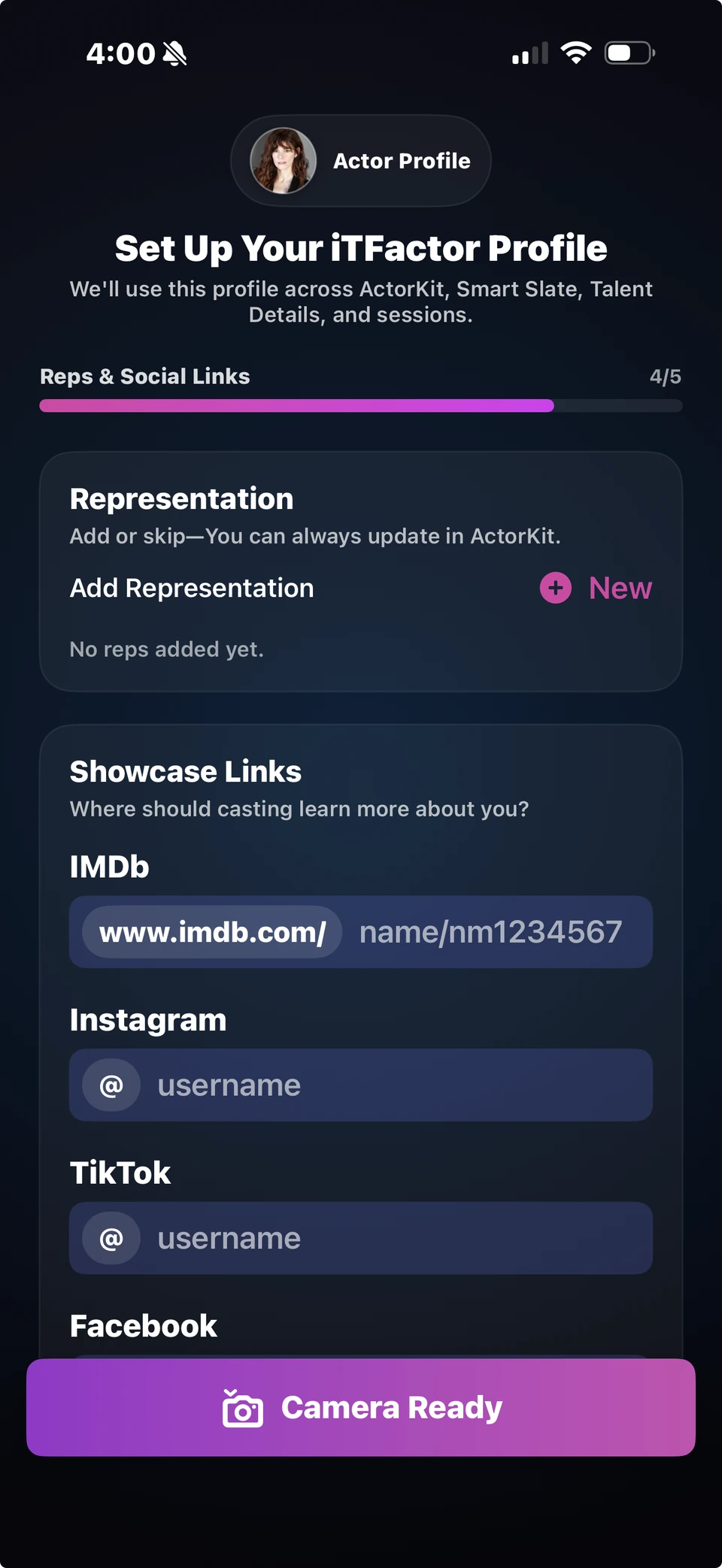
  • Representation and social links
Step 1

Stage Identity

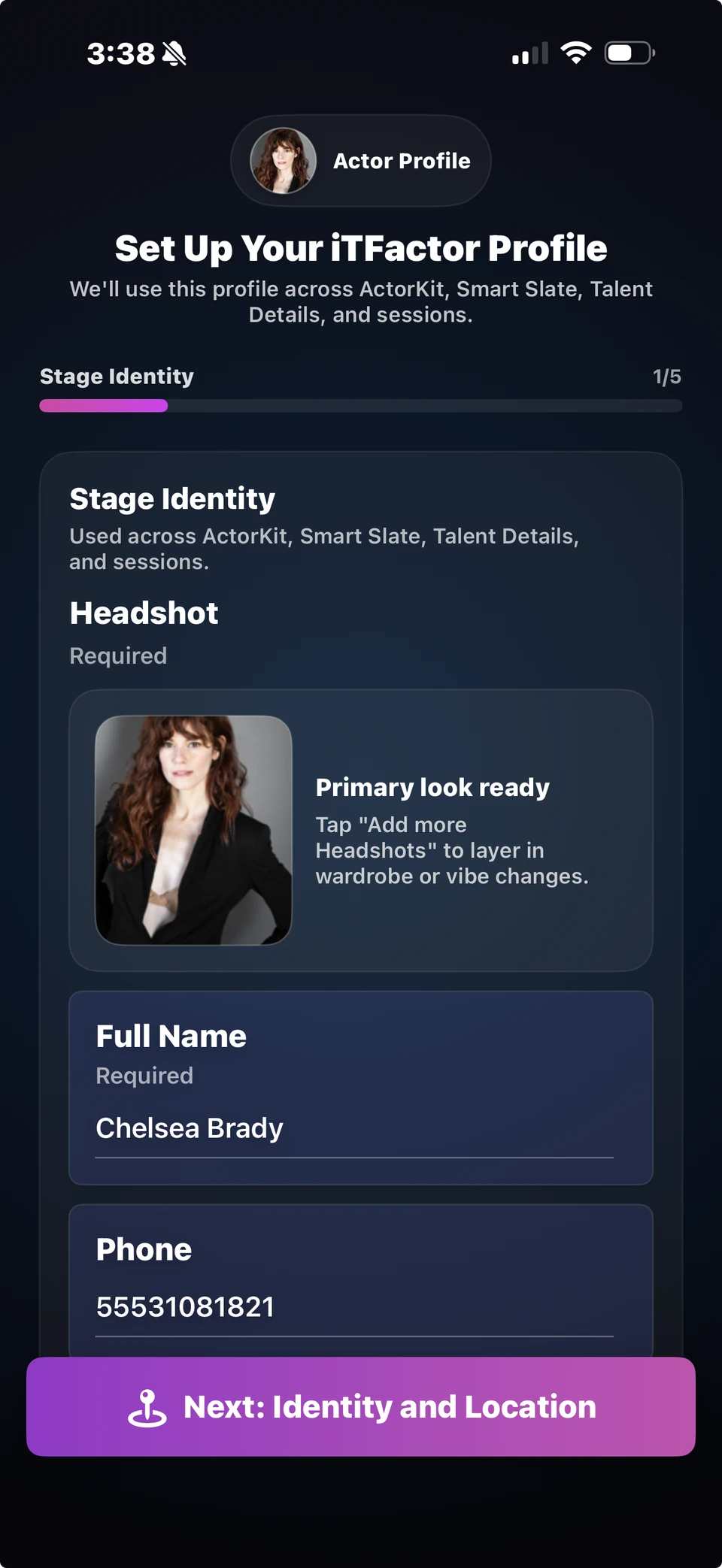
This is your foundation. It sets the photo and name iT Factor uses to recognize you across the app.

Required right now
  • One headshot
  • Your full name
Optional for now
  • Phone
  • Email
  • SAG-AFTRA status and member number
  • Appearance theme
Used later in
  • ActorKit profile header
  • Smart Slate name lines
  • Talent Details and profile displays

What to focus on here

Start with one headshot that feels current and professional enough to represent you. It does not need to be your final forever choice. You can add more looks later and keep building from there.

Your full name is the other must-have. Use the name you want iT Factor to show in your profile and wherever the app needs to identify you quickly.

Phone, email, and union details help round out your profile, but nothing breaks if you leave them for later. If you are already a SAG-AFTRA member, the member number field only matters once you choose Member.
iT Factor Stage Identity screen showing the first setup step with headshot, name, and contact basics
This is the first screen in the wizard. If you add one strong headshot and your name, you already have the essentials in place.
Step 2

Identity and Location

This step helps casting understand how you show up on camera and where you work.

Required right now
  • Nothing new is blocking here
  • You can move on and return later
Optional for now
  • Identity
  • Age range
  • Primary location
  • Local hire market
Used later in
  • Your ActorKit profile
  • Smart Slate and project defaults
  • Local hire details and your Size Card

What to focus on here

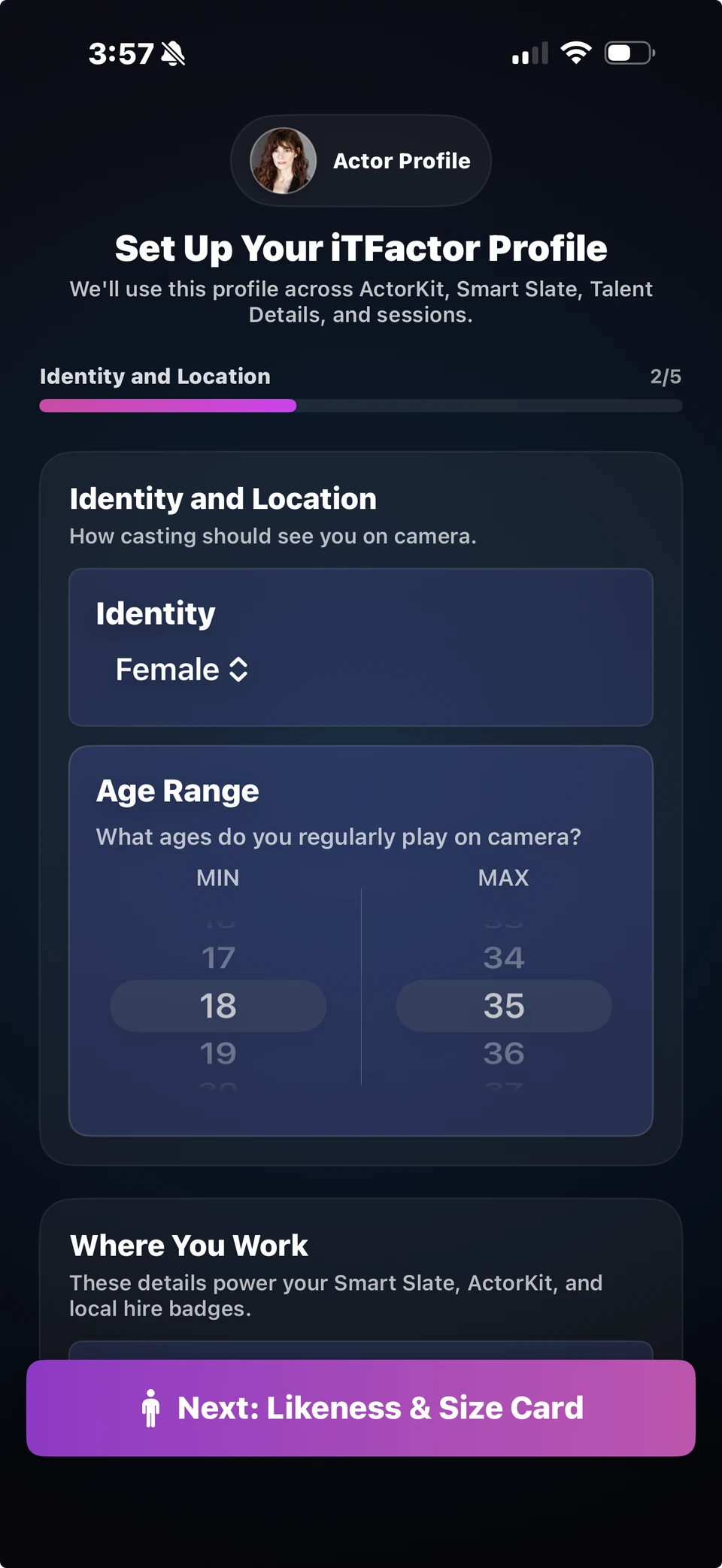
If you have the energy, this is a strong place to add the details that help your profile feel more complete. Identity and age range help the app reflect how you usually play on camera.

Primary location is your main city and state. Local hire market is the place where you can work as a local without travel or housing support. That one is especially useful later when you are moving quickly through slates and project setup.

If you are short on time, it is completely fine to leave some of this blank and come back later.

iT Factor Identity and Location screen showing identity, age range, and the Where You Work section
This screen helps you recognize where identity, age range, and work location live in the same step.
Step 3

Likeness and Size Card

This step holds your appearance details and everyday sizes. It can be as light or as detailed as you want.

Required right now
  • Nothing here is required to finish setup
  • Start with the basics if you want them saved
Optional for now
  • Hair and eye color
  • Height, weight, waist, inseam
  • Top, bottom, and shoes
  • Advanced measurements
Used later in
  • Talent Details
  • Your Size Card
  • Wardrobe and fitting reference

What to focus on here

If you only want the quickest useful version of this step, start with height plus your everyday top, bottom, and shoe sizes. That gives you a strong start without turning setup into a measuring session.

Hair color and eye color are easy wins if you know them. Weight, waist, inseam, and advanced measurements are there when you want fuller wardrobe detail, but they are not required for a good first pass.

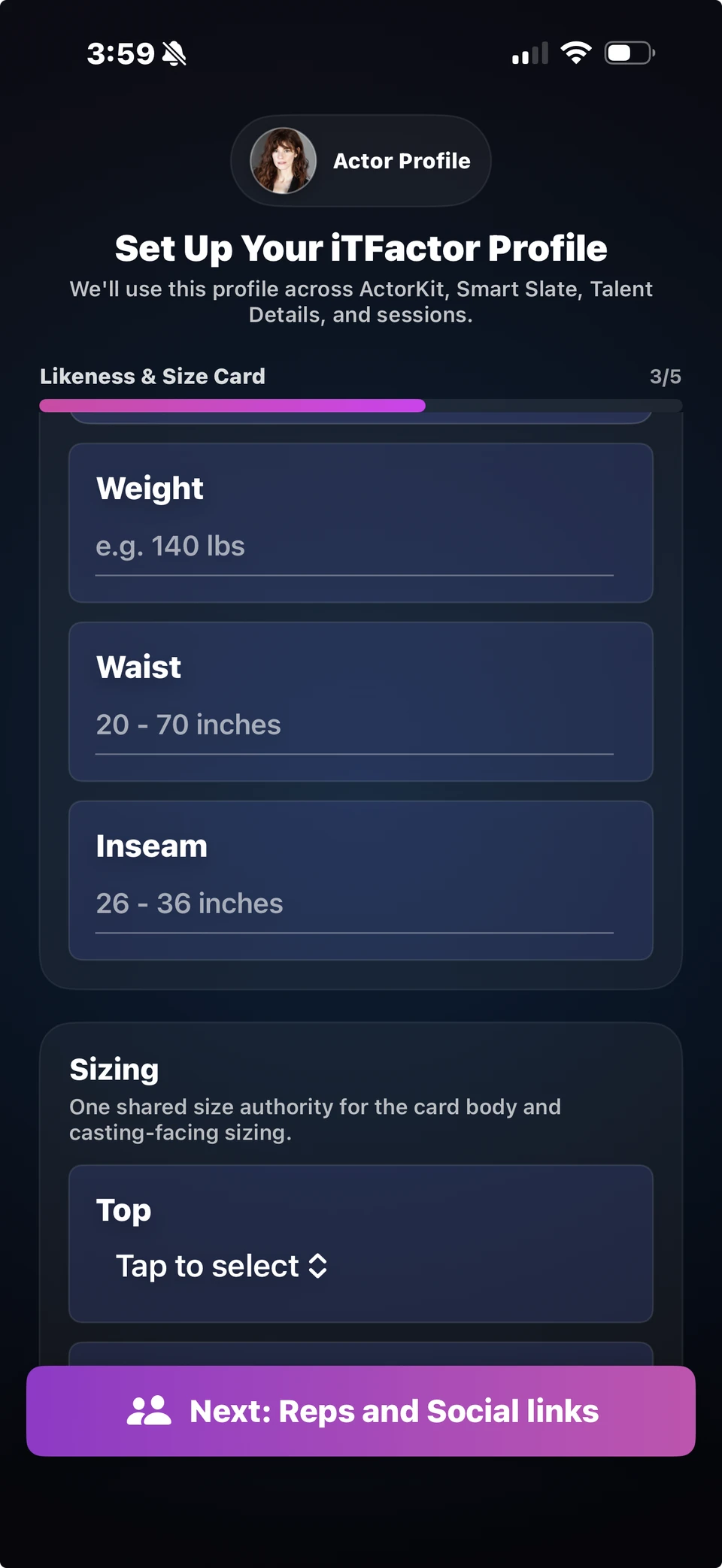
iT Factor Likeness and Size Card screen showing measurements and sizing options
This step can hold as little or as much detail as you want. Everyday sizes are enough for most people the first time through.
Step 5

Camera Ready

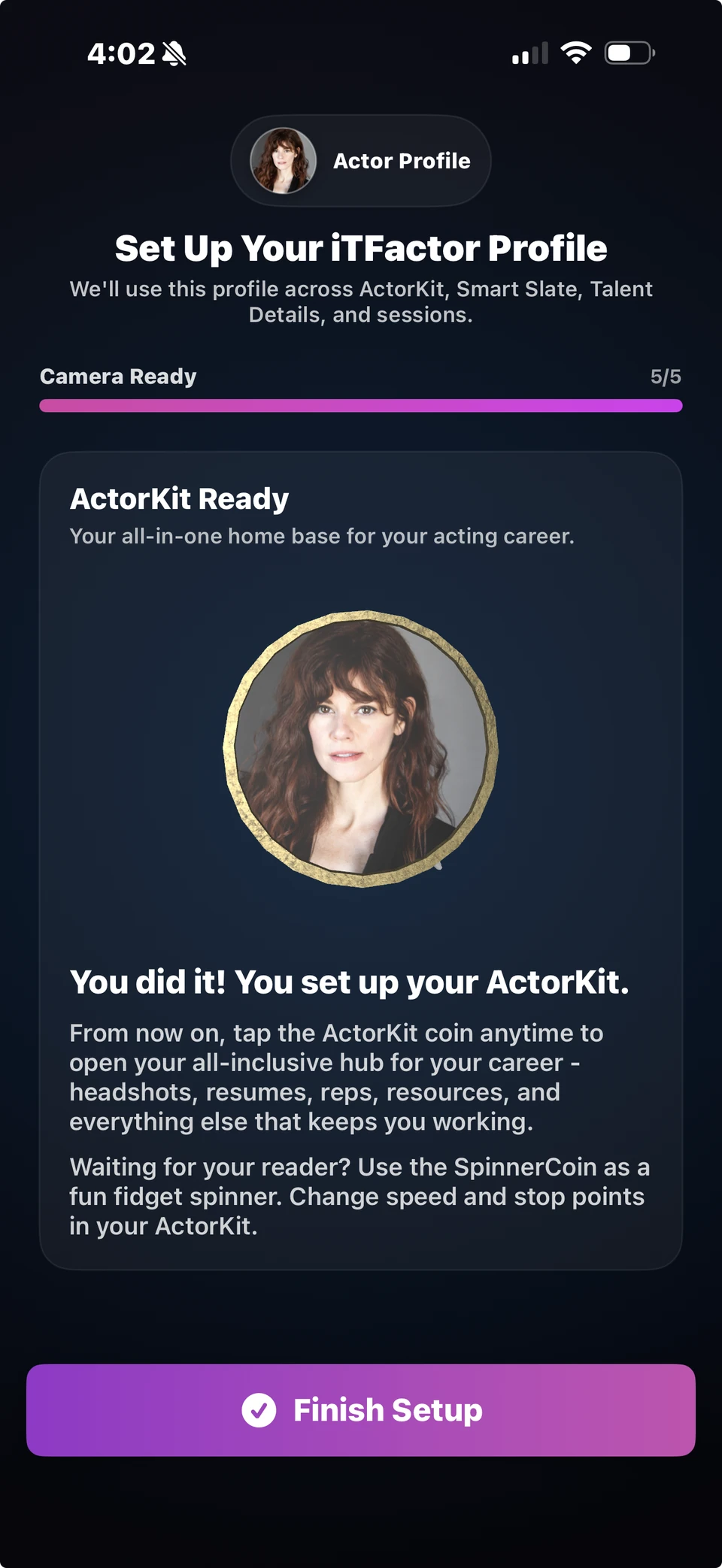
This is the finish line. It confirms your setup and sends you into the main experience.

Required right now
  • Review the summary
  • Tap Finish Setup
Optional for now
  • Everything else can be updated later
Used later in
  • Your ActorKit home base
  • The rest of your iT Factor workflow

What to focus on here

This step is here to reassure you that you are ready. If you have your headshot and name in place, you have already done the most important part.

Finish setup, start using the app, and come back to the profile whenever you want to make it richer.

iT Factor Camera Ready finish screen confirming ActorKit setup is complete
The finish screen is your reminder that you do not need every detail to start looking organized and professional.

Quick Help

A few setup details explained.

These are the parts of setup that tend to raise questions the first time through. Here’s what they mean in plain language.

SAG-AFTRA status and member number

Choose the status that matches your real situation today. If you are not a member yet, use Eligible or Non-Union. The member number only matters if you are already a member.

Identity and age range

Identity is about how you want to be presented in the app. Age range is the range you usually play on camera, not your birthday.

Local hire market

This is the market where you can work as a local hire. It helps later when you are moving through setup for slates and projects.

Sizes and advanced measurements

Top, bottom, and shoes are the everyday basics. Advanced measurements are there for a more complete wardrobe profile, but they can wait.

Representation types

Only add the reps you actually work with. If you only have a manager or only have an agent, that is completely fine.

IMDb and social links

Only add public links you want casting to see. If an account is private or personal, leave it out.

FAQ

Quick answers before you move on.

Can I skip fields for now?
Yes. To finish setup, you only need one headshot and your full name. Most of the rest can wait.
Can I come back later?
Yes. The profile is meant to grow with you. Start with the essentials, then fill in more when you have time.
What if I do not have representation?
Skip that step. Nothing breaks if you leave it blank, and you can add reps later if your situation changes.
What if I do not know all my measurements?
Start with height and your everyday sizes if you know them. Advanced measurements are there when you need them, not before.

Related Guides

Keep going when you are ready.

The help center is built so you can move from setup into the next part of your workflow without starting from scratch each time.

Previous Help Center Home

Return to the guide hub and search the next topic.

Next Best Self Tape App for Actors

Keep going with the full recording, review, and delivery workflow.

Download iT Factor

Get the basics in place, then let the app do more of the carrying.

The Actor Profile is there to make the rest of your workflow feel lighter. Start simple, then build on it when you are ready.